Water exposure is one of the most common reasons MacBook users seek technical support. Even a small amount of liquid can affect internal components, especially the display. One issue many users notice after accidental spills or humidity exposure is screen misting. Foggy patches, moisture marks, or cloudy areas on the display often indicate that water has entered the screen layers or nearby internal hardware.
Understanding how screen misting develops and what repair methods are available can help prevent further damage. Professional MacBook water damage repair Dubai solutions focus on identifying moisture-affected components, drying internal circuits safely, and restoring display clarity without risking additional hardware failure.
This guide explains what causes screen misting, how technicians diagnose the issue, and why timely MacBook repair services are important for long-term device performance.
What Causes Screen Misting on a MacBook?
Screen misting usually appears after water, coffee, juice, or humidity enters the MacBook through the keyboard, vents, or display edges. Moisture becomes trapped between display layers or affects internal connectors linked to the screen.
Common causes include:
- Coffee or tea spills near the keyboard
- Rainwater exposure during travel
- High humidity environments
- AC water leaks near workstations
- Accidental liquid splashes
- Condensation from temperature changes
In many cases, the MacBook may continue working initially, but moisture slowly spreads inside the display assembly. Over time, this can create foggy patches, flickering, discoloration, or dead pixels.
Professional MacBook repair Dubai technicians often recommend immediate inspection even if the screen still powers on normally.
Signs Your MacBook Has Water-Related Screen Damage
Screen misting can appear differently depending on the amount of moisture trapped inside the display. Some symptoms become visible immediately, while others develop over several days.
Typical warning signs include:
Foggy or Cloudy Display Areas
Moisture trapped beneath the display glass creates visible haze or cloudy sections on the screen.
Flickering Display
Water exposure may affect display connectors or logic board circuits, causing unstable visuals.
Bright Spots or Dark Shadows
Liquid residue can interfere with backlight diffusion, producing uneven brightness.
Horizontal or Vertical Lines
Damaged display connections sometimes lead to screen lines or partial image distortion.
Keyboard and Trackpad Issues
Since liquid often spreads internally, nearby components may also become unresponsive.
If these symptoms appear, professional MacBook water damage repair Dubai support should be arranged quickly to reduce the risk of corrosion.
Why Immediate Action Matters
Water damage does not always stop after the initial spill. Internal corrosion can continue developing for days or weeks. Delayed repairs often increase costs because moisture gradually affects more components.
Many users make the mistake of continuing to use the MacBook after exposure. This can short-circuit internal hardware and worsen screen-related issues.
Quick action helps protect:
- Logic board circuits
- Display connectors
- Battery health
- SSD storage
- Keyboard circuitry
- Cooling system components
Timely MacBook repair services can significantly improve the chances of successful recovery.
First Steps After Water Exposure
Before visiting a repair center, users should follow safe handling steps to minimize additional damage.
Power Off the MacBook
Shut down the device immediately. Avoid charging or restarting it.
Disconnect Accessories
Remove chargers, USB devices, external drives, and adapters.
Avoid Hair Dryers or Heat Guns
Excessive heat may damage the display layers and internal adhesives.
Keep the MacBook Open
Allow airflow while waiting for professional inspection.
Do Not Attempt DIY Disassembly
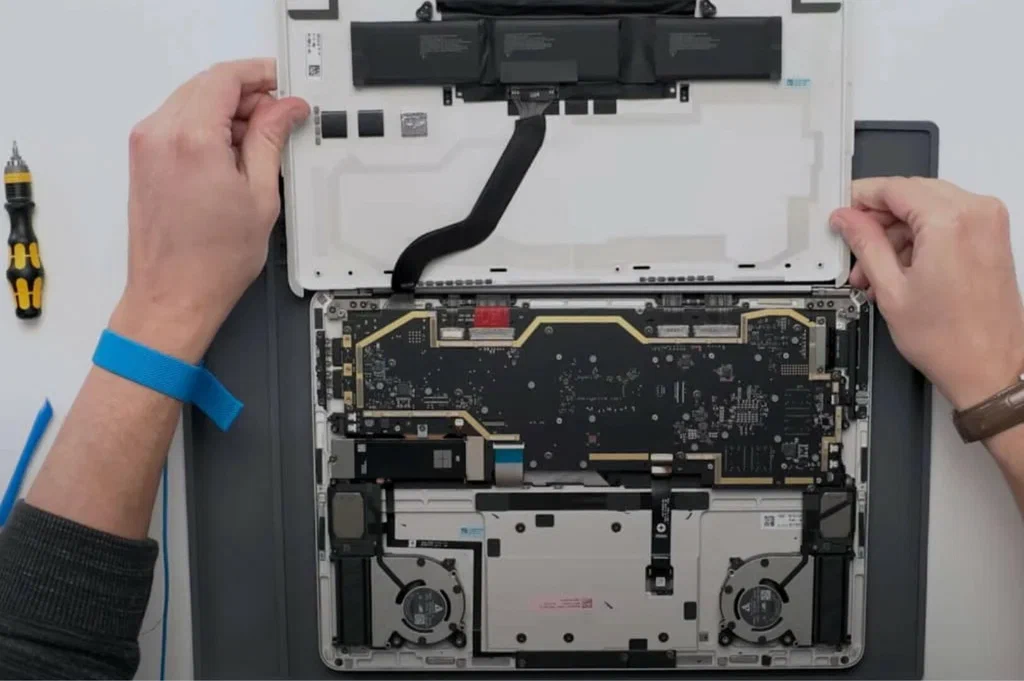
Modern MacBooks contain delicate connectors and tightly integrated components that require specialized tools.
These steps help technicians perform safer MacBook repair Dubai diagnostics later.
Screen Misting Repair Methods Used by Technicians
Repair methods vary depending on how deeply moisture has spread inside the MacBook display assembly.
Internal Moisture Inspection
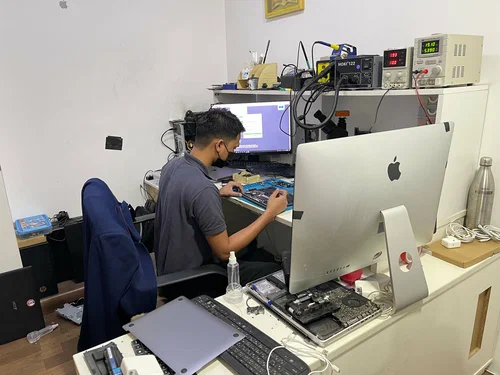
Technicians first inspect the MacBook using diagnostic tools and visual testing. Internal moisture indicators often reveal affected areas.
Display Connector Cleaning
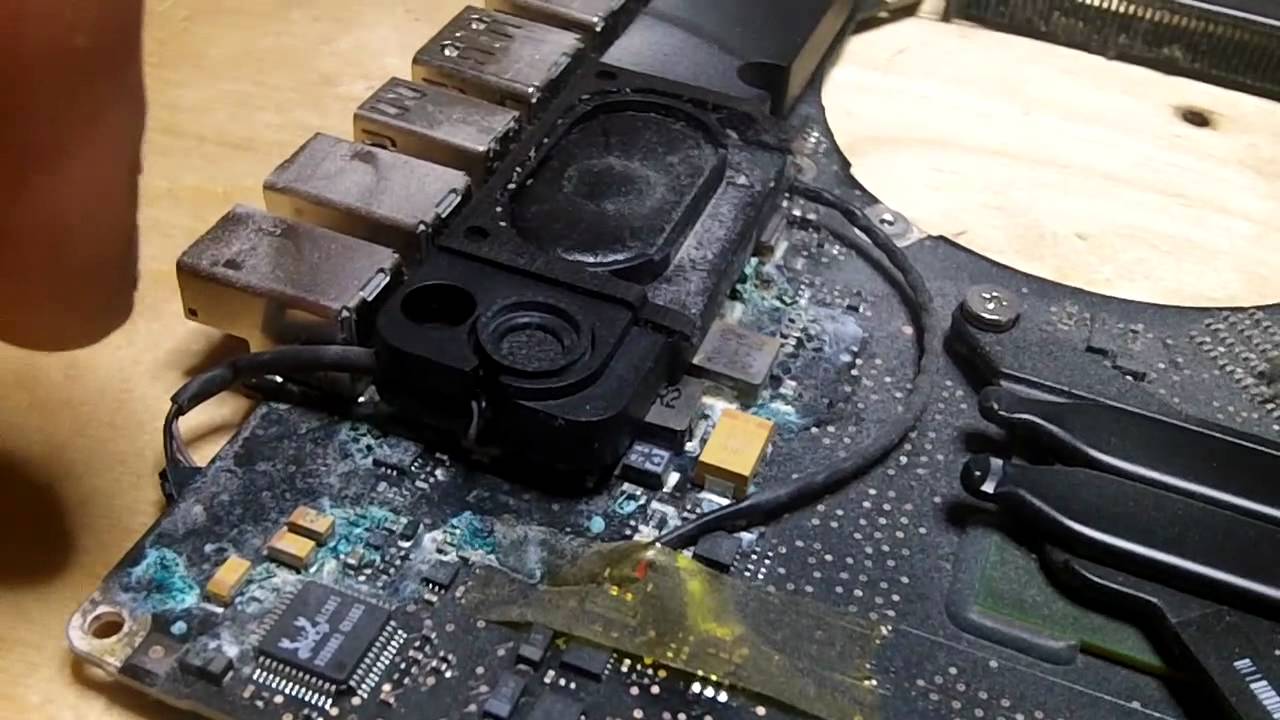
If water reaches display connectors, technicians carefully clean corrosion using specialized electronic cleaning solutions.
Controlled Component Drying
Professional drying equipment removes trapped moisture without overheating sensitive parts.
Logic Board Cleaning
In severe cases, the logic board may require ultrasonic cleaning to eliminate corrosion buildup.
Display Assembly Replacement
If moisture permanently damages the display layers, technicians may recommend screen replacement.
Professional MacBook water damage repair Dubai centers usually combine multiple methods depending on the damage severity.
Can Screen Misting Disappear on Its Own?
Some minor condensation issues may temporarily improve as moisture evaporates. However, this does not guarantee that internal components are safe.
Hidden corrosion can continue affecting:
- Display circuitry
- Backlight systems
- GPU communication
- Keyboard functions
- Battery connections
Waiting too long can lead to complete display failure. This is why many MacBook repair services recommend diagnostic testing even if the misting seems reduced after a few days.
Common Components Affected by Water Damage
Water exposure rarely impacts only the display. Several internal systems are connected closely inside modern MacBooks.
Logic Board
The logic board controls most device functions and is highly sensitive to liquid contamination.
Battery
Moisture can create charging instability or battery swelling risks.
SSD Storage
Liquid exposure near storage components may threaten important files and system data.
Keyboard Assembly
Sticky keys and non-responsive buttons often appear after spills.
Display Flex Cables
Thin display cables can corrode easily, leading to flickering or blank screens.
Comprehensive MacBook repair Dubai inspections usually include all these areas during water damage evaluation.
How Long Does Water Damage Repair Take?
Repair time depends on the extent of liquid exposure and component condition.
Typical timelines include:
- Basic cleaning and drying: same day or 24 hours
- Corrosion treatment: 1–2 days
- Display replacement: depends on part availability
- Logic board repair: several days in complex cases
Fast repairs reduce the chance of permanent hardware damage.
Preventing Future Screen Moisture Problems
While accidents cannot always be avoided, preventive measures help reduce the risk of future liquid-related issues.
Keep Drinks Away from Work Areas
Spills remain the leading cause of MacBook moisture damage.
Use Protective Sleeves During Travel
Rain exposure during commuting can affect display assemblies.
Avoid Using MacBooks Near Kitchen Areas
Steam and accidental splashes increase moisture risks.
Maintain Proper Room Ventilation
Humidity buildup can contribute to internal condensation.
Regular Device Cleaning
Dust and debris around vents may trap moisture internally.
These habits can reduce the likelihood of requiring future MacBook water damage repair Dubai assistance.
Choosing Professional MacBook Repair Services
Water damage repairs require specialized knowledge because modern MacBooks contain compact internal designs and delicate display systems.
Professional repair centers typically provide:
- Liquid damage diagnostics
- Internal cleaning procedures
- Display testing
- Logic board repair
- Component replacement
- Data protection support
Experienced MacBook repair services also help identify hidden corrosion that may not be visible during basic inspection.
Final Thoughts
Screen misting after liquid exposure is an early warning sign that moisture has entered your MacBook’s internal system. While the device may still operate temporarily, hidden corrosion can spread quickly and affect the display, logic board, battery, and storage components.
Professional MacBook water damage repair Dubai solutions focus on safe moisture removal, component cleaning, and display restoration before the damage becomes severe. Acting quickly improves the chances of saving both the screen and the internal hardware.
Whether the issue comes from coffee spills, rain exposure, or humidity buildup, professional MacBook repair Dubai technicians can assess the extent of the damage and recommend the appropriate repair process. Reliable MacBook repair services help restore performance while reducing the risk of future hardware failure.